
BubbleFacts, a free app for music streamers
Fun facts about the song you're playing, right on your stream.
BubbleFacts watches your StreamerSongList requests and shows short, Wikipedia-checked facts in game-inspired bubbles while you play.
Free and open source for Mac, Windows and Linux.
Beta: your computer may ask you to confirm the app the first time you open it. See what to click.
All downloads
- Mac macOS 13 or newer. Need the Intel version? Which Mac do I have?
- Windows Windows 10 or 11
- Linux, Ubuntu and Debian .deb
- Linux, other .AppImage
Get running in two steps
-
Connect your songs
Sign in with StreamerSongList, using your Twitch account.
-
Add BubbleFacts to OBS
Drag it from the app into your OBS Sources list.
You'll know it worked right away: a test bubble appears in OBS as soon as you add it.
No coding. No Terminal. No AI setup required. BubbleFacts gets its built-in fact writer ready in the background.
Want to customize it? Tell BubbleFacts about your originals, live learns, and your own facts for songs Wikipedia doesn't know. Or read the step-by-step guide.
How BubbleFacts checks its facts
AI can make things up. BubbleFacts is built to keep made-up facts off your stream, so its fact writer never answers from memory.
- It finds the source first. When a song starts, it looks up the song, or the game or film it's from, on Wikipedia.
- It writes only from that article. The fact writer rephrases details from the article and adds nothing of its own.
- It drops anything the article doesn't support before it reaches your stream.
- No article, no AI. If BubbleFacts can't find reliable facts for a song, it shows your own messages instead.
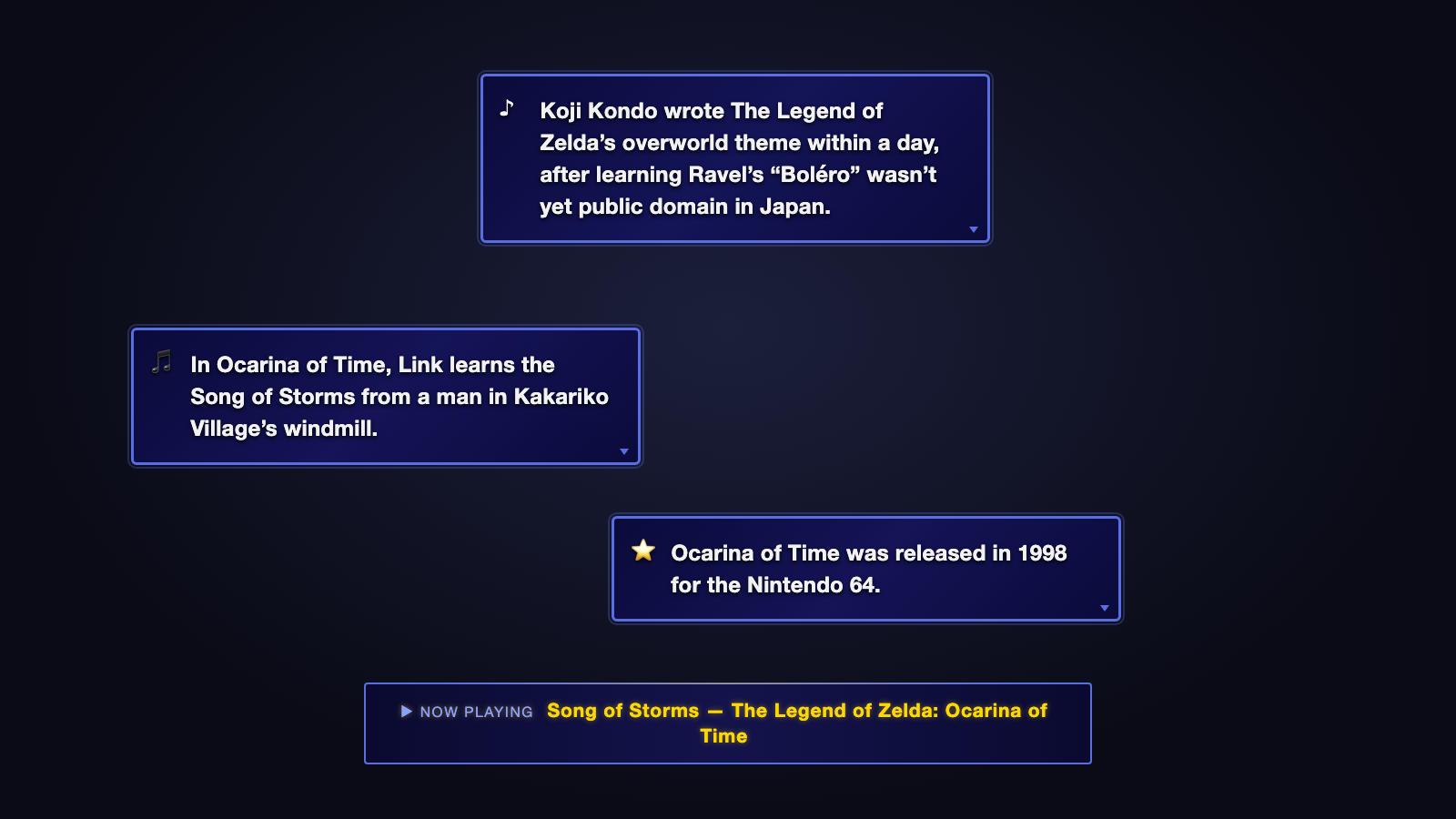
What you'll see on stream
Now playing
Briefly shows the song title when it starts.
Song facts
Short game-style facts pop up while you play.
It also handles originals and live learns.
Made by a music streamer
BubbleFacts was created and tested by frolicchris, a Twitch pianist who plays viewer requests. It grew out of a tool built for his own live streams and was fixed as real-world problems showed up.
Development used Claude Code. BubbleFacts is open source on GitHub.
Questions
Is it free?
Yes. BubbleFacts is free and open source, and its built-in fact writer costs nothing to run.
Is it safe and private?
Yes. You sign in to StreamerSongList in your own web browser, so BubbleFacts never sees your Twitch password. Your sign-in is stored encrypted on your computer. BubbleFacts looks song titles up on Wikipedia, and nothing is sent to this project. The privacy page has the details.
Do I need to know coding?
No. You download an app, sign in, and drag it into OBS. If you can add a webcam to OBS, you can do this. The setup guide walks you through every click.
What if a song isn't on Wikipedia?
BubbleFacts shows your own messages instead: short facts you write yourself (the app calls them backup facts). It comes with a few example facts, but they're only examples. They're short, they aren't updated or maintained, and they won't know your songs. So add your own. They go on stream exactly as you write them, so only add facts you've checked. See how in the setup guide.
Can BubbleFacts run on a different computer from OBS?
Not yet. BubbleFacts needs to run on the same computer as OBS. Two-PC setups, such as a music PC plus a streaming PC, aren't supported yet.
Does it work with Streamlabs Desktop?
It should, but it isn't tested yet. Dragging the tile may not work there. Instead, add a Browser source by hand: follow the add-it-by-hand steps. Only OBS Studio is tested.
More questions? See the full list on the help page.